Enrollment open · ages 9–17
Build games, websites and startups with an AI mentor
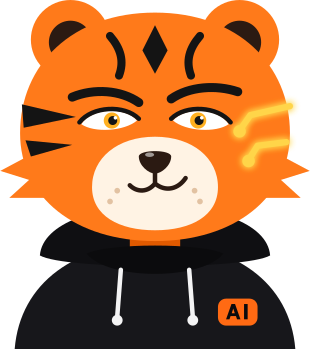
An online AI and coding academy for kids and teens aged 9–17. Cody the tiger explains, drops hints and celebrates every win.
- No experience needed
- Online from any city
- Certificate on completion
- AI
- PROMPTS
- ROBLOX
- WEBSITES
- PYTHON
- STARTUP
- AI VIDEO
- CODE
How it works
Four steps from the first lesson to your own project
One clear route for everyone — then each student goes where their real interest is.
- 4 tracks to choose from
- 32 lessons per course
- 4 students per group, max
- 1Start
Trial lesson
Meet Cody and an academy expert, try a mini task with AI and get matched to a group by age.
- 28 lessons
Shared foundation
Everyone starts together: learning to work with AI and finding what clicks.
- 34 tracks
Your track
The student picks one track and goes deep.
- Finale
Demo Day
Present your project to the academy team and parents.
Each course is 32 lessons. Afterwards you can continue or switch to another track.
Groups by age
Students learn with peers. Reading and typing confidently matter.
- Cub ages 9–10
- Tiger ages 11–13
- Legend ages 14–17
Tracks
Choose what you’ll build
Four tracks after the shared foundation. Tap a card to learn more.
- Idea
- Product
- Pitch
AI Entrepreneur
Come up with an idea, build a product with AI and learn to pitch it — like a real startup founder.
Outcome: your own product and pitch
Sign up- Roblox Studio
- Lua
- Game design
Roblox games with AI
Build your own game in Roblox Studio: worlds, mechanics and characters. AI helps with code and ideas.
Outcome: your own Roblox game
Sign up- HTML · CSS
- JavaScript
- AI tools
Web + AI
Make websites and web apps. AI helps you write code, copy and design.
Outcome: your own live website
Sign up- Python
- Bots
- AI
Python + AI
Learn Python — the main language of AI — and write your own bots and AI programs.
Outcome: your own bot or AI program
Sign up
AI video Soon New course: shoot and edit videos with neural networks.
Try it right here
A ten-second lesson with Cody
This is a task from the shared foundation. Pick a prompt and Cody will break down your answer.
Shared foundation · lesson 4 of 8
Which prompt will help AI draw a logo for your startup?

Now that’s a prompt! Context and style are in place.
Demo: Cody’s replies here are pre-written. In class he answers your own questions.
Projects
What students build
Examples of the projects students bring to Demo Day. Real student work will appear here soon.
- Roblox games with AI
A Roblox game
Your own world with levels, coins and a final boss. The student writes the Lua code; AI pitches in with ideas.
- Web + AI
A website
A site for your own project or hobby, with a catalogue, an order form and its own address online.
- Python + AI
A Python bot
A Telegram bot that drills English words, reminds you about practice or runs a quiz.
- AI Entrepreneur
A startup with a pitch
An idea, a prototype and three minutes on the Demo Day stage: the problem, the solution, the first users.
Gamification
Learning that hooks you like a game
Energy, XP, streaks and rewards. The circuit stripes on Cody’s cheek glow brighter with every level.
- First bot
- Prompt master
- Game dev
- Pitch star
Level 4
720 / 1000 XP
Tiger streak
7 days
- M
- T
- W
- T
- F
- S
- S
Orange League
this week
- 1Alikhan1 240 XP
- 2You980 XP
- 3Madina940 XP
Certificate
A certificate for your own project
Every student who reaches Demo Day gets one. It names the student, the track and the project they presented.
How to earn it
- 1 Complete the course — 32 lessons
- 2 Build your own project
- 3 Present it at Demo Day
 AICody Academy
Certificate
This certifies that
Madina Kassymova
has completed “Roblox games with AI”Demo Day project: “Dragon Island”
Formats
Choose how to learn
Start with a trial lesson, then continue in a mini-group or one-on-one. A course is 32 lessons: the shared foundation plus your track.
Trial lesson
Online, with an academy expert. See whether the format fits and get matched to a group.
What happens in the lesson
- Meet Cody and the platform
- A mini task with AI and a first result
- Group matching by age and time
- Answers to parents’ questions
- A manager will share the price and instalment options by phone
- Extend or switch tracks anytime
FAQ
Questions parents ask
Didn’t find your answer? Message us — we reply during working hours.
Message us on WhatsAppWhat age can my child start?
From 9 to 17. Reading and typing confidently matter. Groups are formed by age: 9–10, 11–13 and 14–17.
How do lessons work?
Live online with a real teacher — in a mini-group of up to 4 students or one-on-one. Cody, the AI mentor, helps in class: he drops hints but never hands over the answer.
How long is the course and what does it cost?
A course is 32 lessons: the shared foundation plus the chosen track. The price depends on the format — mini-group or individual. A manager will share it, along with instalment options, when they call you back.
What happens in the trial lesson?
Meeting Cody and an academy expert, a mini task with AI and matching a group by age and time. A manager will tell you the price of the trial lesson by phone.
What does my child get at the end?
Their own project — a game, a website, a bot or a product with a pitch — presented at Demo Day to the academy team and parents, and a certificate.
How will I know how my child is doing?
The teacher regularly shares what your child has achieved and what to work on next.
Is it safe for my child to work with AI?
We use vetted tools, students work with AI under a teacher’s eye, and we teach the rules of digital safety from the first lessons.
Can we switch tracks?
Yes. After a course you can continue or move to another track.
Start
Ready for level one?
Leave a request — a manager will call back, share the price and match an age group and a time for the trial lesson.
Prefer a messenger?
Message us on WhatsApp